Cursor Helper
New in version 5.1: The Symfony\Component\Console\Cursor class was introduced
in Symfony 5.1.
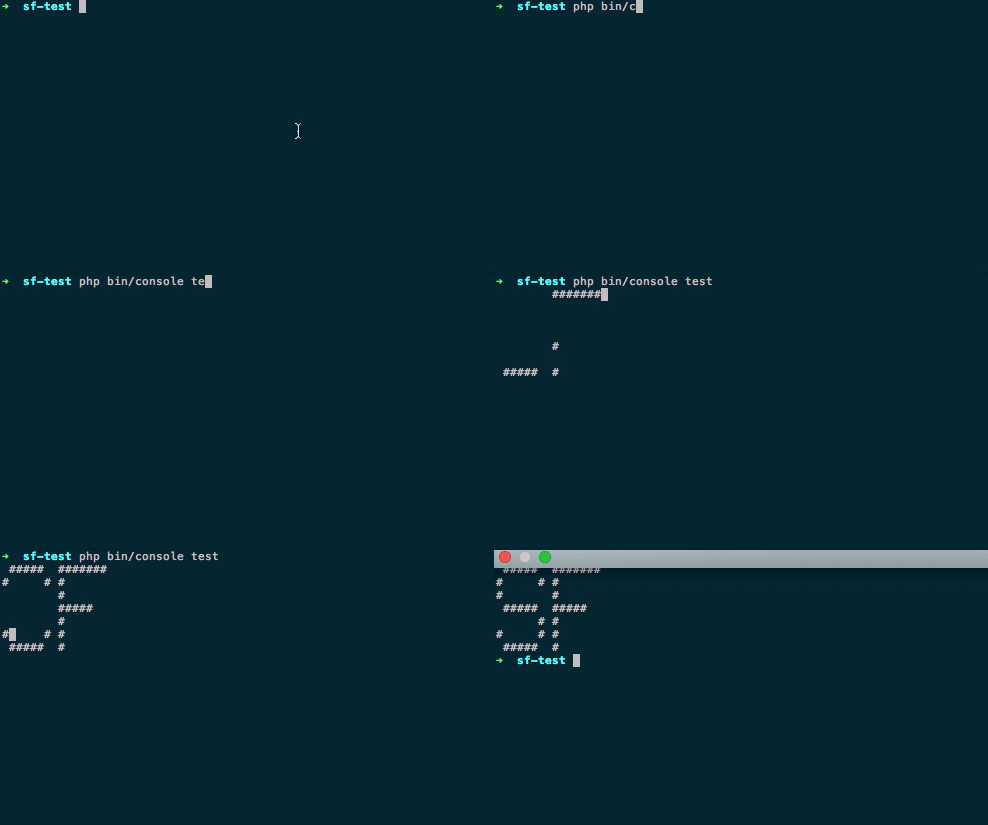
The Symfony\Component\Console\Cursor allows you to change the
cursor position in a console command. This allows you to write on any position
of the output:
// src/Command/MyCommand.php
namespace App\Command;

use Symfony\Component\Console\Command\Command;
use Symfony\Component\Console\Cursor;
use Symfony\Component\Console\Input\InputInterface;
use Symfony\Component\Console\Output\OutputInterface;

class MyCommand extends Command
{
    // ...

    public function execute(InputInterface $input, OutputInterface $output): int
    {
        // ...

        $cursor = new Cursor($output);

        // moves the cursor to a specific column (1st argument) and
        // row (2nd argument) position
        $cursor->moveToPosition(7, 11);

        // and write text on this position using the output
        $output->write('My text');

        // ...
    }
}
Using the cursor
Moving the cursor
There are few methods to control moving the command cursor:
// moves the cursor 1 line up from its current position
$cursor->moveUp();

// moves the cursor 3 lines up from its current position
$cursor->moveUp(3);

// same for down
$cursor->moveDown();

// moves the cursor 1 column right from its current position
$cursor->moveRight();

// moves the cursor 3 columns right from its current position
$cursor->moveRight(3);

// same for left
$cursor->moveLeft();

// move the cursor to a specific (column, row) position from the
// top-left position of the terminal
$cursor->moveToPosition(7, 11);
You can get the current command’s cursor position by using:
$position = $cursor->getCurrentPosition();
// $position[0] // columns (aka x coordinate)
// $position[1] // rows (aka y coordinate)
Clearing output
The cursor can also clear some output on the screen:
// clears all the output from the current line
$cursor->clearLine();

// clears all the output from the current line after the current position
$cursor->clearLineAfter();

// clears all the output from the cursors' current position to the end of the screen
$cursor->clearOutput();

// clears the entire screen
$cursor->clearScreen();
You also can leverage the :method:`Symfony\\Component\\Console\\Cursor::show` and :method:`Symfony\\Component\\Console\\Cursor::hide` methods on the cursor.