How to Dump Workflows
To help you debug your workflows, you can generate a visual representation of them as SVG or PNG images. First, install any of these free and open source applications needed to generate the images:
Graphviz, provides the
dotcommand;Mermaid CLI, provides the
mmdccommand;PlantUML, provides the
plantuml.jarfile (which requires Java).
New in version 5.3: The mermaid dump format was introduced in Symfony 5.3.
If you are defining the workflow inside a Symfony application, run this command to dump it as an image:
# using Graphviz's 'dot' and SVG images
$ php bin/console workflow:dump workflow-name | dot -Tsvg -o graph.svg

# using Graphviz's 'dot' and PNG images
$ php bin/console workflow:dump workflow-name | dot -Tpng -o graph.png

# using PlantUML's 'plantuml.jar'
$ php bin/console workflow:dump workflow_name --dump-format=puml | java -jar plantuml.jar -p  > graph.png

# highlight 'place1' and 'place2' in the dumped workflow
$ php bin/console workflow:dump workflow-name place1 place2 | dot -Tsvg -o graph.svg

# using Mermaid.js CLI
$ php bin/console workflow:dump workflow_name --dump-format=mermaid | mmdc -o graph.svg
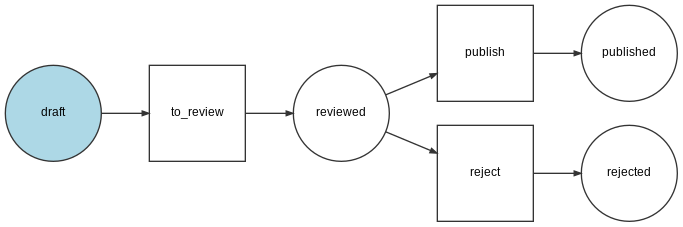
The DOT image will look like this:
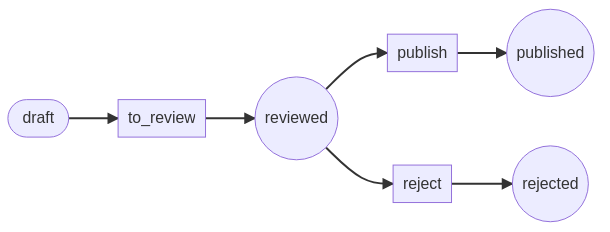
The Mermaid image will look like this:
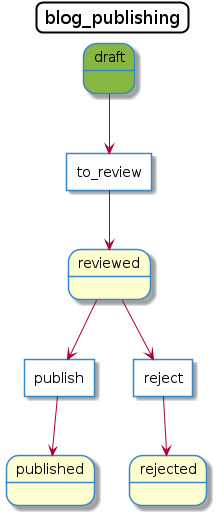
The PlantUML image will look like this:
If you are creating workflows outside of a Symfony application, use the
GraphvizDumper or StateMachineGraphvizDumper class to create the DOT
files and PlantUmlDumper to create the PlantUML files:
// Add this code to a PHP script; for example: dump-graph.php
$dumper = new GraphvizDumper();
echo $dumper->dump($definition);

# if you prefer PlantUML, use this code:
# $dumper = new PlantUmlDumper();
# echo $dumper->dump($definition);
# replace 'dump-graph.php' by the name of your PHP script
$ php dump-graph.php | dot -Tsvg -o graph.svg
$ php dump-graph.php | java -jar plantuml.jar -p  > graph.png
Styling
You can use metadata with the following keys to style the workflow:
for places:
bg_color: a color;description: a string that describes the state.
for transitions:
label: a string that replaces the name of the transition;color: a color;arrow_color: a color.
Strings can include \n characters to display the contents in multiple lines.
Colors can be defined as:
a color name from PlantUML’s color list;
an hexadecimal color (both
#AABBCCand#ABCformats are supported).
Note
The Mermaid dumper does not support coloring the arrow heads
with arrow_color as there is no support in Mermaid for doing so.
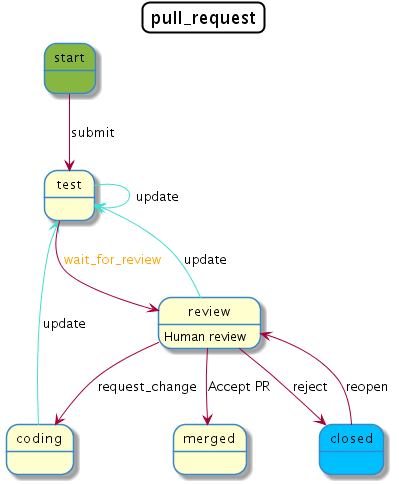
Below is the configuration for the pull request state machine with styling added.
The PlantUML image will look like this: